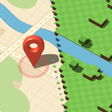
Create playable Minecraft worlds from real maps with one tap
BlockMap: Map to Minecraft, by Nikandr, converts real-world streets and landmarks into playable Minecraft Bedrock worlds for exploration and building. The app pulls OpenStreetMap data and generates building footprints, roads, rivers, and terrain, then exports directly into the game with one-tap world creation. It provides a global search and mobile-first workflow for Minecraft Bedrock players, educators, and creative builders who want familiar places translated into block form for teaching or play.
It translates real-world maps into game files you can open on device
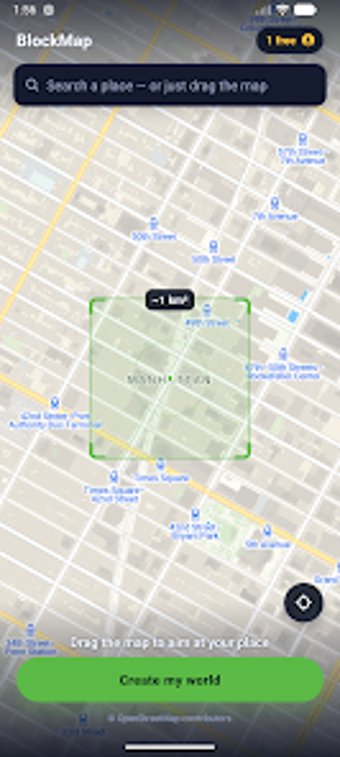
The app uses OpenStreetMap map data to identify structures and terrain, then produces a Minecraft-compatible world file meant for Bedrock on mobile. Generated content emphasizes recognizable layouts by rendering building footprints and heights, and it produces streets, rivers, and park areas. A tidy export step places the world where the mobile game can open it, removing the need for external converters or desktop tools.
How it fits into your device and Minecraft setup
Designed for Android phones, the workflow assumes Minecraft Bedrock Edition is installed on the same device so generated files import directly into the game. The app provides global search and on-device framing for the area you want to convert, keeping the process contained to the phone. Because the developer built the tool as a mobile-first utility, no PC or console steps are required to complete a map-to-world transfer.
Who gains the most from quick, place-based world creation
Players who want to build on familiar streets, teachers needing tangible geography lessons, and creative builders who use real locations as starting points benefit most. The interface lowers technical barriers, so non-technical users can create playable maps without learning desktop mapping tools. Framing any street or landmark and tapping generation suits short sessions, classroom demos, or inspiration-driven building blocks for larger projects.
What to expect about data handling, accuracy, and third-party status
The app converts public map data from OpenStreetMap into game worlds, and the mobile workflow handles the conversion on the device. That means generated worlds reflect the underlying map dataset and the scope of what it contains. The tool is presented as an unofficial third-party utility for Bedrock, so users should factor that status into their expectations about official support or compatibility guarantees.
To sum up: practical mobile mapping for creative players and teachers
BlockMap is a practical pick for Minecraft Bedrock players and educators who want rapid, place-based material for creative building or classroom activities; its mobile, on-device workflow supports quick turnarounds. Because it is an unofficial third-party tool, users should keep modest expectations about official support or integration. Use it when you need recognizable, location-driven worlds for short projects or lesson demonstrations.